Convert your media files to make Sony PSP Video
The Sony PlayStation Portable (Sony PSP) has become a very popular hand-held game platform. It is designed for gaming and viewing movies. All the major film studios including Disney, Warner Brothers, Paramount and Sony Pictures have published movies specifically for the Sony PSP.
The large handheld display combined with very good audio quality makes the Sony PSP an excellent choice when viewing movies on the go.
The Sony PSP can play many different audio file formats, including the two most popular - MP3 and WMA. Video files for your Sony PSP need to be in a MPEG-4 format. Sony uses a slightly altered version of the MPEG-4 format which includes its own header information.
It is easy to transfer home movies or videos from your camcorder or even shows that you've recorded on your Media Center PC to your Sony PSP. A program like Digital Media Converter Pro can convert and transfer video files from your PC to the Sony PSP.
How to Convert Media to Sony PSP:
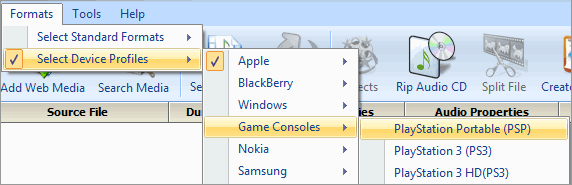
Add video files to the conversion list by clicking File >> Add Files. Select Format >> Select Device Formats >> Game Consoles.
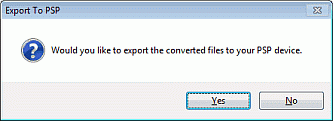
After the files have been converted, you are prompted to export your converted media to your Sony PSP device.
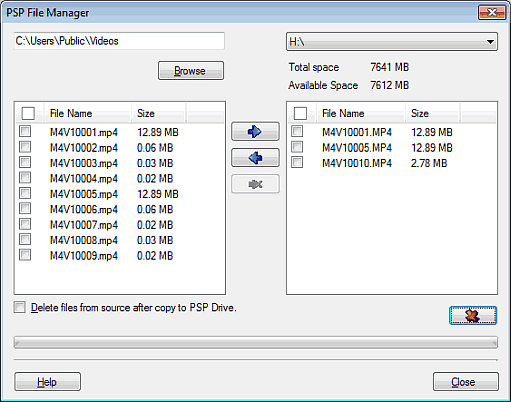
A PSP File Manager appears where you can transfer files from PC to PSP device and vice-versa.
Video file sizes largely depend on the audio and video bit rates. With a video bit rate of 500 Kilobits per second, and an audio sample rate of 22050 kHz; a 22 minute video file (a half-hour TV show minus the commercials) in PSP MP4 format is roughly 55 megabytes. A 512 MB Memory Stick can hold approximately 9 files this size. A 100 minute movie can fit on a 256 MB Memory Stick.
Download Digital Media Converter Pro to convert and enjoy your videos on your Sony PSP today.