Transfer Mode Settings
You can specify the transfer modes for communicating with FTP servers installed in different operating system.
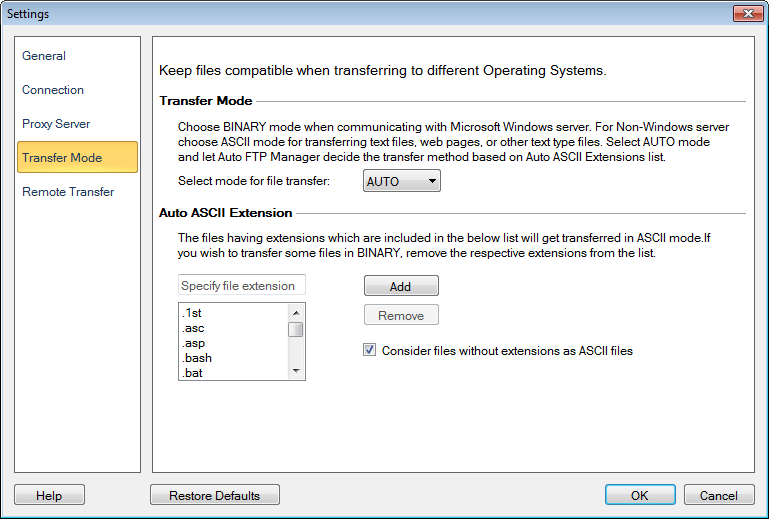
You can Select mode for file transfers as Auto, ASCII or Binary. You should choose Binary mode while communicating with Microsoft Windows servers and ASCII mode while communicating with Non-Windows servers.
ASCII mode transfers files as a text. The ASCII transfer mode is used to translate text files from one format to another. For example, UNIX file system terminates lines in a file with a line feed, while Windows and DOS files terminate lines with a carriage return <CR> and a linefeed <LF>. Selecting this mode will convert files from one format to the other automatically. Examples of ascii files are .txt, .asp, .htm, .php.
Binary mode transfers files as raw data i.e., bit by bit. In this mode, files are transferred without any modification or conversion. This results in the same file on the source and destination computer. Examples of binary files are .mp3, .pdf, .doc, .exe, .jpg.
In Auto mode files are transferred in binary mode unless they match an entry in the Auto ASCII Extension list. By default some of the ASCII file extensions are added to the Auto ASCII Extension list. You can also include certain file extensions in the list by clicking the Add button.
Now transfer extension less files also in ASCII mode, just check Consider files without extensions as ASCII files and those files will get transferred in ASCII mode.
NOTE: The Transfer Mode will normally only affect text files. Text files transferred between Windows and non-Windows computers may lose formatting if transferred using the wrong mode.
|