Browse and Translate your Websites
Surf the web in your native language with a few clicks from within the application.
Click the Browse Web tab and enter the URL in the Address bar.
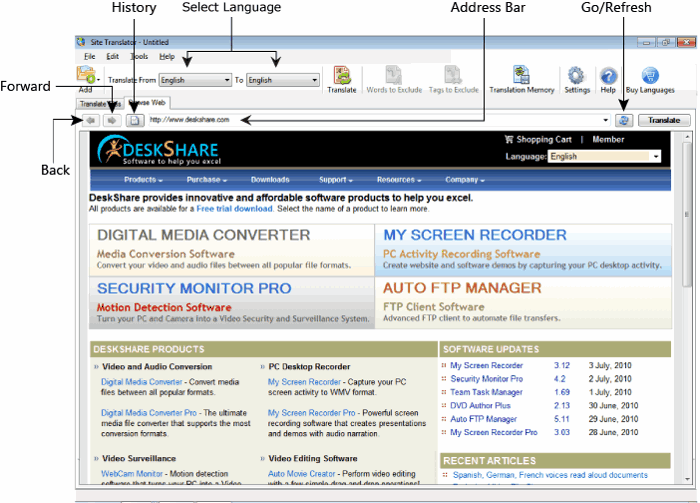
To translate the web page to different language, choose the correct language pair and click Translate. When you click the Links within the page, the new page is automatically translated. The translation is extremely fast.
The layout and the source of the page is preserved. The images and Flash movies are not translated.
All the URLs that are translated or browsed earlier are saved in the History so that you can easily revisit them. You can navigate through the web pages that you have translated by clicking on the Forward or Back options.
The browser window displays the web pages, either in the original or translated language.
|