|
| Auto FTP Manager: Creating a Scheduled Profile |
Creating a Scheduled Profile
To create a Scheduled Profile, you must either schedule an Automated Transfer Profile while it is being created, or schedule an existing Automated Transfer Profile.
To schedule an Automated Transfer Profile while it is being created:
- Create the Automated Transfer Profile in the usual way.
- On the last screen of the New Profile Wizard, the Schedule option is present. Click Configure.
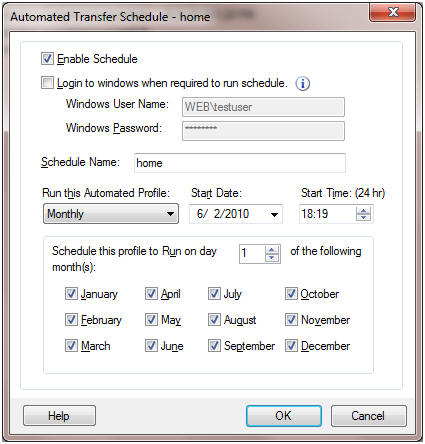
- To specify how often to run the Profile, use Run this Automated Profile.
- The time to begin the task can be chosen using Start time.
- File transfer will only take place if Enable Schedule is checked.
Related Topics
|