|
|
Interface Language
DVD Author Plus's interface can be displayed in Dutch, English, French, German,
Italian, Polish, Portuguese, and Spanish. To change languages, click Language.
This is the File menu in English and in German:
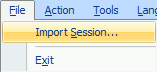
File Menu—English
|
|
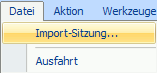
File Menu - German
|
All of the text displayed by the program will display in the selected language:
menus, dialog boxes, window titles, etc. The exception is the program's User
Guide (this Help file), which will always display in English.
|