Language:
 
 
Pages:
  
1.Introduction
2.Getting Started
3.Video Format Settings
4.Audio Format Settings
 
AMR
M4A
MP3
Ogg Vorbis
WAV
WMA Custom
WMA For Desktop Listening
WMA for Internet Streaming
WMA For Progressive Download
5.Tools
6.Application Settings
7.Troubleshooting
8.Resources
 

Digital Media Converter 4.01


Configure Settings for WMA For Internet Streaming

Your audio files are converted to WMA format in such a way that they can be played on the internet.  Convert the files to this format and publish them on the web.  The files when hosted on Windows Media hosting services, start playing immediately.
WMA for Internet Streaming

To configure WMA for Internet Streaming Conversion Settings:

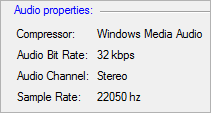
Formats >> Select Standard Format >> WMA For Internet Streaming >> Configure.  By default, the Audio Profile selected is CD quality audio (CBR).  The Encoded Bitrate is set at 64 Kbps and the overhead is 6 Kbps.  The Required Bitrate for the conversion will be set to 70 Kbps

Read the article: Reducing Video File Sizes


Copyright © DeskShare Incorporated.  All rights reserved.