Configure Proxy Server Settings
A proxy server acts as intermediary between client and the actual server. It intercepts all the client requests to the server to see if it can fulfill the requests itself. If not, it forwards the request to the server. These settings are required for configuring Web Media downloader.
Click Tools >> Settings >> Proxy Server.
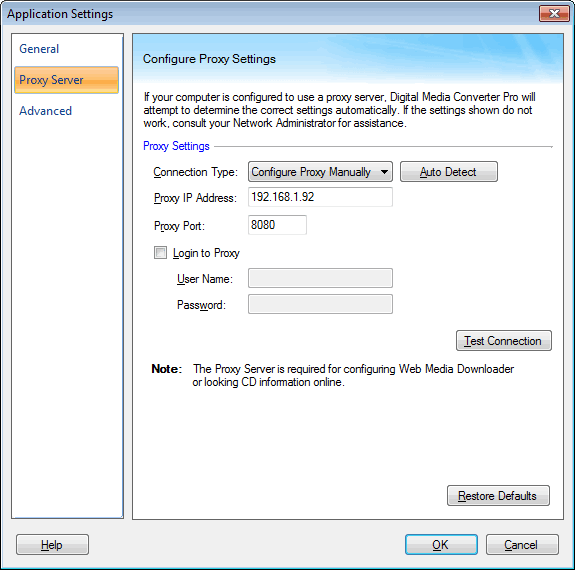
Connection Settings
If your computer is configured to use a proxy server, the settings are automatically detected.
If your PC is directly connected to the server choose the option Direct connection from the dropdown. There is no need to provide Host IP Address and Proxy Port. You can test the connection to your server with the Test Connection button.
To get the default proxy on your machine, Click Auto Detect.
|