Configuring AAC Properties
The AAC format is a variation of MP4, containing only audio. The AAC files can be played on Mac and Windows PC, Apple iPods and many other portable players.
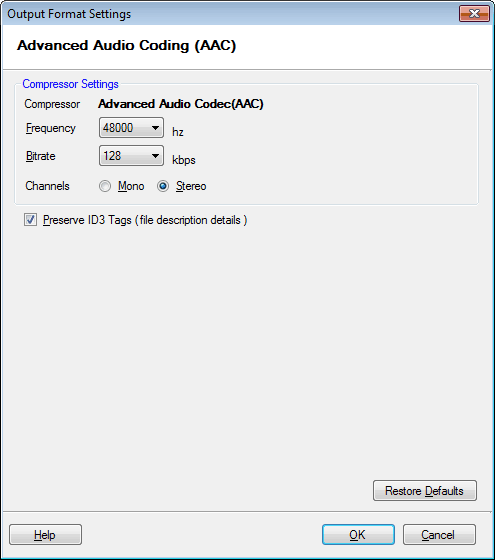
To configure AAC Conversion Settings, click Formats >> Select Standard Formats >> AAC >> Configure.
Audio Properties
AAC files use the Advanced Audio Codec for compression. The frequency is set to 48000 Hz and bitrate is 128 Kbps. The Stereo audio channel creates an impression of sound heard from various directions.
Preserve ID3 Tags (file description details)
Audio files can contain information like the name of the song, artist, album, etc. On enabling the option Preserve ID3 Tags, the information is read from the source file (if available) and is encoded into the output file. When you play the converted file, your media player displays this information.
|