The MPEG-4 (M4A) Audio format produces very small files with excellent audio quality. Many portable audio players support M4A including Apple iPod/ iPhone, Microsoft Zune etc. M4A is an audio-only variation of the MP4 file format.
To configure M4A Conversion Settings, click Formats >> M4A >> Configure.
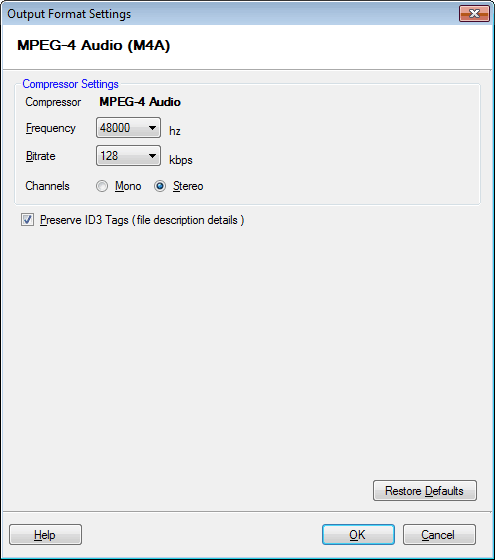
By default, the compressor that is selected is MPEG-4 Audio. The frequency is set at 48000 Hz, bitrate at 128 Kbps and audio channel on Stereo.
Preserve ID3 Tags (file description details):
Audio files can contain information like the name of the song, artist, album, etc. On enabling the option Preserve ID3 Tags, the information is read from the original file (if available) and is encoded into the new one. When you play the output file, your media player displays this information.