MP3 is currently the most popular digital audio format. This high quality compressed audio format can be used on almost every portable music player (for example, the Apple iPod) and also played on personal computers and streamed from Internet servers.
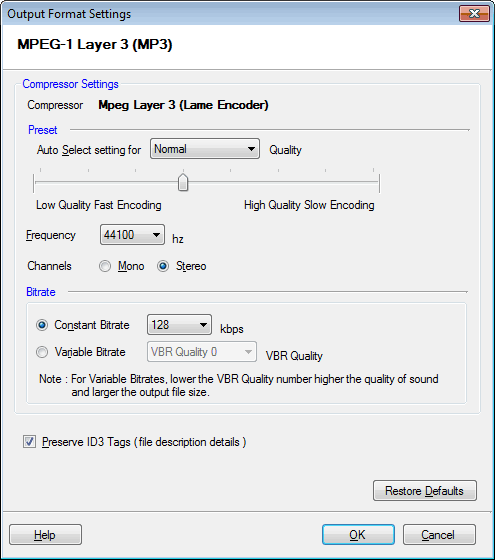
To configure MP3 Conversion Settings, click Formats >> MP3 >> Configure.
By default, the compressor that is selected is MP3 (MPEG 1 Layer 3). The frequency is set at 44100 Hz, bitrate at 128 Kbps and audio channel on Stereo.
Some built-in MP3 presets are designed to provide the best possible tradeoff of quality and file size. They have been tuned using rigorous listening tests. These presets are highly recommended over any custom set of parameters. The default setting is the Normal preset. To use a Preset, select it from the Auto Select settings for list, or drag the slider. Higher-quality encoding takes longer than lower-quality.
Preserve ID3 Tags
Audio files can contain information like the name of the song, artist, album, etc. On enabling the option Preserve ID3 Tags, the information is read from the original file (if available) and is encoded into the new one. When you play the output file, your media player displays this information.