|
Welcome to Dictation Pro
Having difficulty in typing your documents? Speak and let Dictation Pro type for you. Prepare your letters, reports, e-mails, homework assignments just by speaking into a microphone. A good-quality headset is required. Dictation Pro is fast, easy and fun to use. Type your documents with minimum keystrokes and mouse clicks. Dictation Pro turns your voice into text and enables hands-free typing of your documents. Speak into your microphone and words will appear on the computer screen, instantly. It is up to 10 times faster than typing.
Everyone has a unique voice modulation. The Voice Training process helps Dictation Pro to identify your voice pitch and tone. The more you use Dictation Pro, the more accurate your speech recognition will become. You can add special phrases, names or technical terms into the Vocabulary for even more accurate dictation. Instead of using a mouse or keyboard, just speak a command and Dictation Pro executes it for you. Commands are included for formatting, deleting, and copying words and passages. These commands are easy to remember and are designed to simplify and speed up editing by voice.
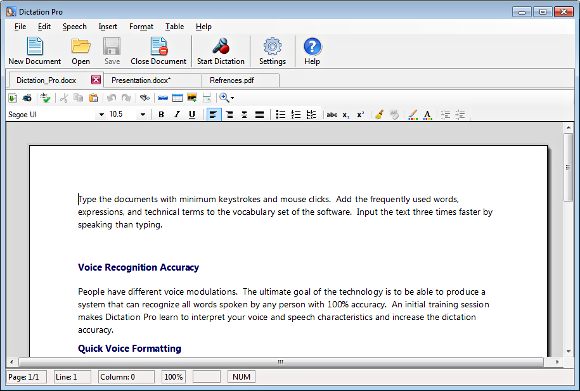
Dictation Pro User Interface
|