|
Main User Interfaces
The application interface provides quick access to all the important functions of Dictation Pro.
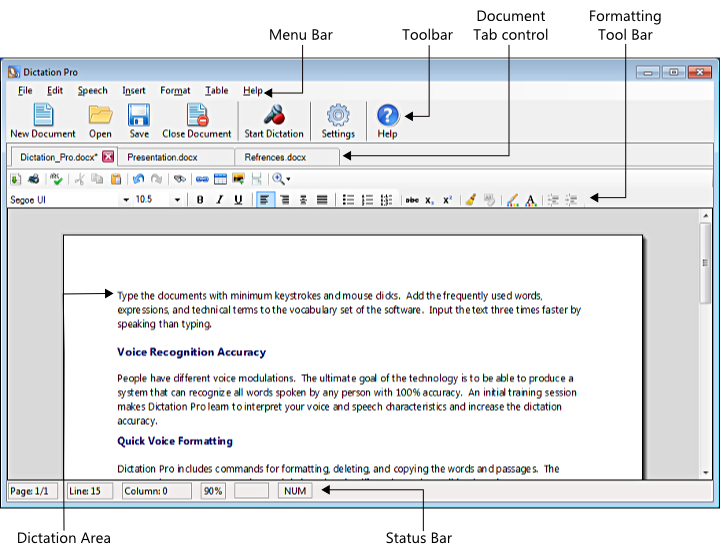
The main application window is divided into following segments:
-
The Menu Bar gives you full access to every feature in the program.
-
The Tool Bar provides an easy access to some of the most important features. You can create, save, open, close the documents, and access microphone options quickly.
-
The Formatting Tool Bar helps to change the text properties such as font, style etc.
-
The Dictation Area is referred to the document where spoken words are displayed.
-
The Status Bar displays the current page number, line number, and column number so that you can easily move through your document. It shows the status of the Caps lock key and the Num Lock key. This status is helpful when you are dictating.
|