Scheduling
Scheduling your cameras allows you to monitor multiple locations at a specified time or for a fixed duration. Schedule each camera to start and stop actions automatically, either on a daily or weekly schedule, for a one-time event or automatically on program launch.
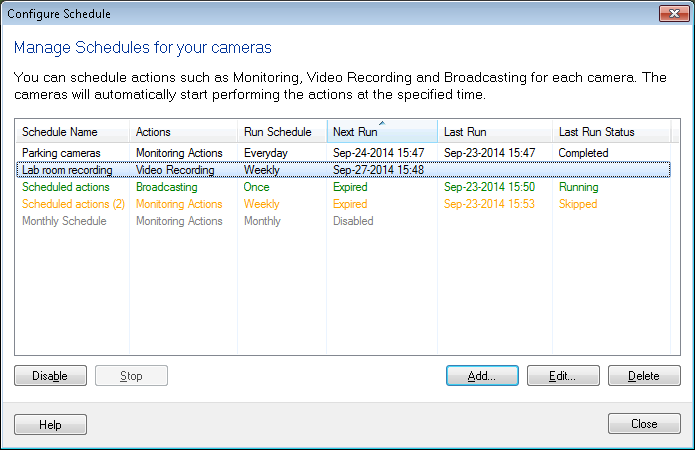
Schedule status color codes
- Green: Schedule is currently running
- Orange: Schedule is Expired
- Grey: Schedule is Disabled
- Black: Schedule is Active
With the help of Security Monitor Pro, you can set individual schedules for each camera. You can schedule each camera independently to perform various actions such as monitoring with alerts or video recording, capturing photos and broadcasting. You can Add, Edit a schedule according to your need. If you don't want a schedule to run at specified time, either Disable (when schedule is not running) it or Stop it (when schedule is running). When you don't want to run a schedule on a camera, select Delete.
|