View Broadcasting Status
To view the current status of live video broadcasts being sent from Security Monitor Pro, click View >> Broadcasting Status >> See who is viewing.
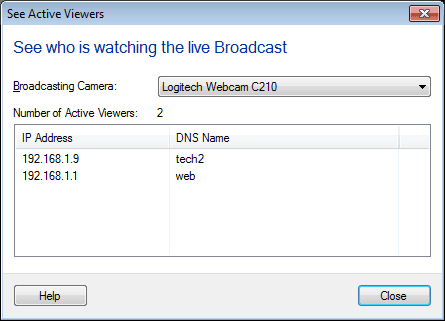
The broadcasting status dialog displays a list of cameras those are currently broadcasting, number of active viewers for the selected camera and details of connected clients who are viewing the broadcast. The details include IP Address and DNS Name of the client.
|