Configuring the Advanced Settings
To configure the advanced settings, click Tools >> Application Settings >> Advanced.
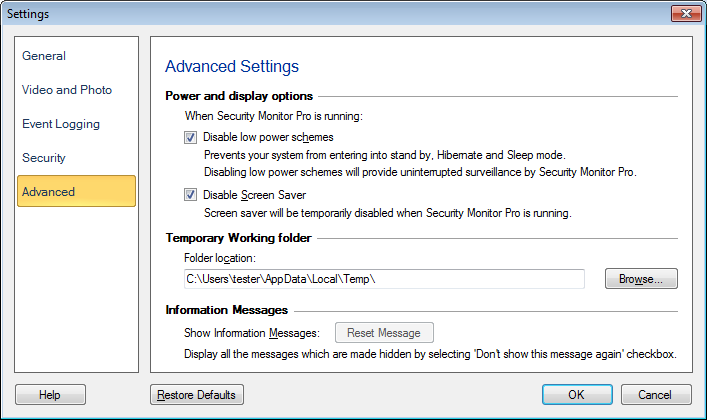
Many computers are set to automatically go into a suspended mode or turn themselves off, if they are left idle for a certain amount of time. When the computer is controlling a surveillance system this is usually undesirable. So, enable the option Disable low power schemes while Security Monitor Pro is running.
In addition to these low power schemes, you can choose to disable the screensaver so that you are not interrupted when you are monitoring an area.
Temporary Working Directory
To change the path where the temporary files will be saved, click the Browse button.
Information Messages
If you wish to reactivate the messages, click the Reset Messages button.
Note: This button will be available, if you have checked the Don't show this message again dialog earlier.
|