Language:
 
 
Pages:
  
1.Welcome
2.Working with Cameras
3.Triggering Alerts
4.Choose Actions
5.Remote Monitoring
 
Live Broadcasting
 
Configure Broadcasting
Select a Broadcasting Profile
View Broadcasting Status
FTP Upload
 
Configure FTP Server
Changing Upload Behavior
View Upload Status
6.Scheduling
7.View Recorded Events
8.System Maintenance
9.Application Settings
10.Get Computer IP Address
11.Resources
 

Security Monitor Pro 4.48


View Broadcasting Status

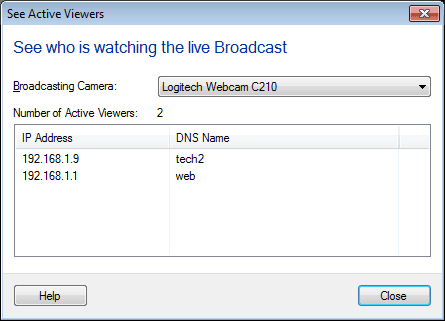
To view the current status of live video broadcasts being sent from Security Monitor Pro, click View >> Broadcasting Status.

The broadcasting status dialog displays a list of cameras those are currently broadcasting, number of active viewers for the selected camera and details of connected clients who are viewing the broadcast.  The details include IP Address, Port and DNS Name of the client.


Copyright © DeskShare Incorporated.  All rights reserved.