Adjusting Speed, Pitch, and Volume
You will often want to adjust the volume, pitch (how high or low the voice is) and speed. Adjusting these values can help make the speaking more understandable, and generate a unique voice for your applications.
To change the speed, pitch, and volume, click Tools >> Voice.
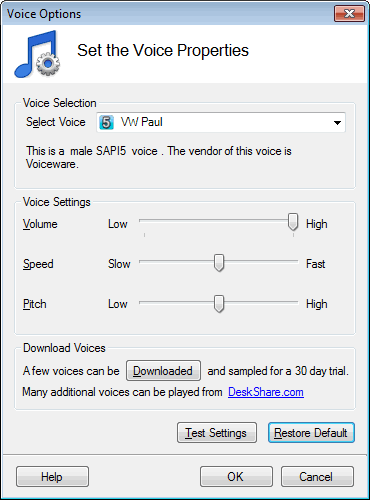
Increase or decrease these voice properties with the help of the sliders. The settings made here apply to the entire document, and to all documents that Text Speaker reads. Listen to how the text sounds by clicking Test Settings.
|