Auto Movie Creator removes all the obstacles to movie editing! Have fun and be creative: let the program take care of the technical parts.
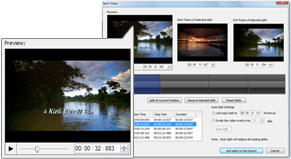
With the built-in Assistant Director wizard, you don't need to spend any time learning to use the program—it advises you every step of the way as you make your masterpiece. Another big time saver is automated scene detection. Instead of carefully looking through all your video footage and splitting it into scenes to edit, just select Detect Scenes and let Auto Movie Creator do all that work for you.
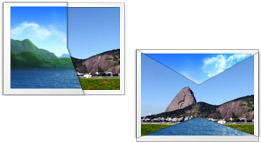
Using special effects is a breeze. High-quality effects like dissolves, fades, and wipes are only a drag, drop, and click away! You can even adjust the light levels or rotate the picture to correct for problems while filming. Select one of the included professionally-designed templates to create beautiful Titles and Credits for your movie.
Combine media from any source to create your movies. You can use video, audio, and image files, or capture audio and video directly from a digital camera or webcam. Auto Movie Creator can turn a collection of digital photos into a high-quality slide show with only a few clicks. Add background music, voice over narration, and professional slide transitions and you have an awesome movie slide show.
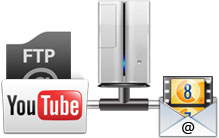
Auto Movie Creator's unmatched Export can create movies for any purpose. Create video files intended to play on your PC, or save your movie in formats specially designed for DVD authoring. You can also export the movie in special web-ready formats for streaming from your site. There are built-in settings for popular web services like YouTube® and Yahoo!® Video. The program can even automatically upload your movies to web servers. If you have an Apple iPod®, Microsoft Zune®, or RIM BlackBerry®, Auto Movie Creator will save movies in exactly the right format for your portable player. Create video that can be played anywhere on almost any player!
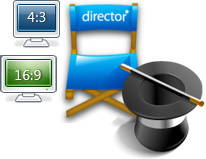
You can create your movie in standard or widescreen. High Definition (HD) formats are completely supported. There are no limits on what you can create—yet you don't need to be a video expert to use the simple Export Wizard.
You can even send Video Email directly from Auto Movie Creator. Share your vacation video or your child's game-winning home run with your friends and relatives with only a few clicks. The movie will be saved in a specially-designed format that gives both high quality and small file sizes, and sent using your own mail software.
We've combined professional-level power with a very simple, one-window mouse-controlled interface, to make Auto Movie Creator the perfect choice for anyone from beginners to experienced hobbyists. Try it today!
Download the FREE trial version!
It is 100% safe! So what are you waiting for? Download Now!
Features at a Glance:
Create Movies and Photo Slideshows
-
Have the Assistant Director guide you through every step of movie creation
-
Create your movies using video clips, images, and music files
-
Prepare slide shows with musical background and voice-over narration
-
Create movies for standard or widescreen
-
Capture video from any input device: Digital Video Camera, Webcam, or VCR
|
 |
 |
Supported Formats
-
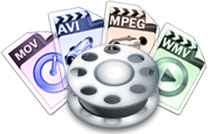
Make movies in AVI, MPEG, WMV, QuickTime, and DVD formats
-
Create movies to play on a wide range of portable devices
-
Import and export High Definition (HD) video
|
Add Effects
-
Use more than 150 unique scene transitions
-
Add Titles and Credits using professionally-designed templates
-
Add a musical score and/or narration to your movie
|
 |
 |
Advanced Editing
-
Automatically detect scenes in video footage
and split the movie
-
Manually split your video at any desired point
-
Use the volume balance control to adjust audio levels
|
Share your Movies
-
Make movies designed for popular online video services: Video Desk, YouTube, Google Video, Yahoo! Video
-
Send video email
-
Automatically upload video to web servers
|
 |
|
Supported Movie Formats
-
AVI
-
MPEG 1 and 2 (MPG), including DVD and VCD
-
Windows Media Video (WMV)
|
|
|
|
Supported Portable Devices
-
Apple iPod
-
Apple iPhone/iTouch
-
Microsoft Zune
-
Creative Zen
-
Palm Treo
|
-
Sony PlayStation Portable (PSP)
-
RIM BlackBerry
-
Archos video players
-
Windows Mobile devices (PocketPC)
-
Cellular phones
|
|
|
Supported Video, Audio, and Picture File Formats
|
-
AVI
-
DV-AVI
-
Windows Media Video (WMV)
-
ASF
-
VOB
-
JPEG (JPG)
-
GIF
-
WMA
-
M4A
|
-
MP4
-
QuickTime MOV
-
MPEG 1 and 2 (MPG)
-
3GP
-
BMP
-
TGA
-
AU
-
WAV
-
AIFF
|