Turn any text into audio with natural sounding voices. This text reading software can read your documents aloud in a clear, human-sounding voice, or you can convert them into MP3 files for listening anywhere.
Text Speaker supports speaking in English, French, German, Spanish, Polish, and Romanian languages. Now you can hear documents spoken in your native language.
Have the computer "read aloud" any text on your screen. When you're proofreading, hearing the words aloud makes it easy to catch common typing errors. You can adjust the pitch, reading speed, and pronunciation to make the perfect listening experience.
Add background music of your choice. When converting a document into an audio file, Text Speaker can play an MP3 music file in the background along with the text it reads. Background music adds a real professional touch!
Since Text Speaker has word processing features, you can create and edit documents without the need for any other program. You can even edit and save Microsoft Word documents without needing a copy of Word installed.
Whether you're creating digital presentations or adding a voice to your Flash animation, use Text Speaker to create audio narration in a pleasant, human-sounding voice. No studio time or hourly fees to a voice actor—just turn your script into an MP3 or WAV file in seconds. When you change the script, you can update the audio narration just as fast! You can even make them sound like a conversation, by using multiple male and female voices in a single document. With Text Speaker, creating and changing spoken messages is as easy as editing a document.
We have even added talking reminders. You will never miss another appointment with talking reminders! Your computer will speak and display a message at any time you select. You can repeat the message at any interval you choose, from one minute to one year.
There are endless uses for Text Speaker. Purchase Text Speaker today for only $39.95 with the professional AT&T Mike and Crystal voices. Or purchase Text Speaker for $29.95 and choose your own professional voices. These voices sound so good you may think they're human!
Download the FREE feature limited trial version!
It is 100% safe! So what are you waiting for?
Download Now!
Features at a Glance:
Text to Speech
- Listen to any text as spoken words in human-sounding voices
- Proofread by listening to your document for getting a professional touch
- Improve pronunciation of individual words using phonemes
- Hear the text read aloud in any application with keyboard hotkey
|
 |
High Quality Voices
- Listen to the text in native language voices, including French, German, Spanish, Polish, and Romanian
- Choose from a wide selection of high quality professional voices
- Prepare interactive scripts by adding multiple voices within a single document
|
 |
Word Processing Features
- Open and read Microsoft Word (DOC and DOCX), RTF, PDF, HTML, and TXT files
- Revise your text with in-built word processing features
- Set bookmarks in your documents for easy reference
|
 |
Convert Text to Audio
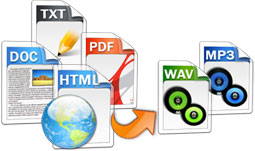
- Convert text documents to MP3 or WAV files for listening anywhere
- Create multiple audio files at a time with batch file conversion
- Prepare study aids with audio outlines and listen to the key points
|
 |
Advanced Features
- Adjust reading speed, pitch, and volume for a smooth listening experience
- Add background music when converting a document to a audio file
- Set alarms with talking reminders to announce important events
|
 |