Auto FTP Manager makes it easy to schedule and automate your file transfers. Move files between any combination of FTP servers, PC folders, Android mobile devices and remote PCs. Over ten different combinations are possible. Imagine the possibilities of transferring files between any combinations of devices, all controlled from your computer.
Auto FTP Manager is so much more than a managed file transfer tool. The easy-to-use wizard helps create Action Rules, which define what files and folders are to be transferred. Automated Transfer Profiles can upload or download anything from a single file to entire folders, or synchronize two directories. Advanced filters control which files are transferred or deleted based on the file type, name, size, or modification date.
Create an automated transfer profile by adding various action rules, which can be scheduled to perform file transfer at a specific time. The built-in scheduler lets you transfer files on an hourly, weekly, or monthly basis, and works as a Windows service. This guarantees the file transfer will be performed at the scheduled time. Set up a schedule to monitor a folder and transfer files when any change is detected. The automated transfer profile allows you to run a particular program before starting or after completing a transfer. Perform post transfer events such as close the application or turn off your computer once the transfer is completed.
Auto FTP Manager offers the functionality to view a transfer report of all the events that happened during automated transfer. You can generate a transfer report when the transfer is completed successfully, failed or manually stopped. See which files were skipped, failed or handled by conflict resolution. You can save the transfer report on your computer, FTP account or send it to your email account.
A powerful Quick Connect File Manager makes transferring files between your PC and an FTP server as simple as dragging from one location and dropping in another. The File Manager works like the Windows Explorer, enabling you to easily create, delete, rename and copy files. Auto FTP Manager is multi-threaded, allowing you to open connections to multiple servers at the same time. The program can transfer files in the background while you work on other tasks.
Auto FTP Manager is an all in one package for managing, scheduling, and automating file transfers. You can download a free trial version and evaluate Auto FTP Manager.
Download the FREE trial version!
It is 100% safe! So what are you waiting for? Download Now!
Features at a Glance:
File Transfer Automation
- Easily backup or synchronize your sites through fully-automated transfers which are not only fast, but also can be scheduled
- Move the files between: PC to FTP server, PC to PC,
FTP server to FTP server
- Automatically detect ASCII or Binary transfer mode
- Save time by scheduling all your file transfers on a specific time which can be repeated hourly, daily, weekly, monthly, on application launch or let Auto FTP Manager watch a folder for changes
- Select Action Rules to select which files to copy, move, or delete
- Set Conflict Rules when files are present on both locations
- File transfer scheduler runs as a windows task service
- Automatically transfer files based on their name, modification date,
size, or file type
- Detect time zone on the FTP server to preserve the modification date of the transferred file
- Control Auto FTP Manager using its command-line interface
- Perform scheduled tasks in the background
- Continue transfers that have been interrupted
- Perform Post transfer events such as Save Transfer Report and Turn Off Computer
|
 |
 |
Secure Transfer
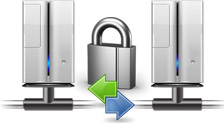
- Transfer files between two servers using File eXchange Protocol
- Prevent passwords and sensitive information from being transmitted by using Secure File Transfer Protocol (SFTP) or FTP over SSL (FTPS) protocol
- Create an individual configuration profile for each FTP server
- Transfer files between multiple servers simultaneously
- Connect to an FTP server directly or through HTTP, Socks v4, Socks v5 or FTP Proxy server
|
Easy File Management
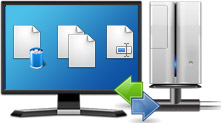
- Upload and Download files and folders easily. Just drag and drop them wherever you want them to transfer
- Edit, update, create, copy, compare, delete and much more on your PC and server using Auto FTP Manager's in built File Manager
- Quickly sync your folders by comparing and transferring only changed files
- Perform in-place editing of files directly on the server without having to transfer first
- Make a backup of all your connection profile settings
|
 |
 |
Complete Control over Transfer
- Choose the number of transfer channels that will actively process the transfer queue based on CPU utilization.
- Add, remove or rearrange files and folders for transfer in the Transfer Queue
- View the status of each file transfer individually
|
Preview Transfer Actions
- Save automated Transfer Reports either locally or on an FTP server, or have them emailed to any address
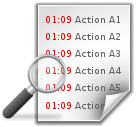
- Track each event with detailed log information such as date/time of occurrence, type of events and a brief description
|
 |