Rank: Administration
Joined: 2/27/2004(UTC)
Posts: 1,824
Was thanked: 41 time(s) in 34 post(s)
|
You can hide Text Speaker from the task bar while reading text. Follow these steps: Click Tools >> Settings, select 'On close minimize Text Speaker to system tray' option under General Preferences section. 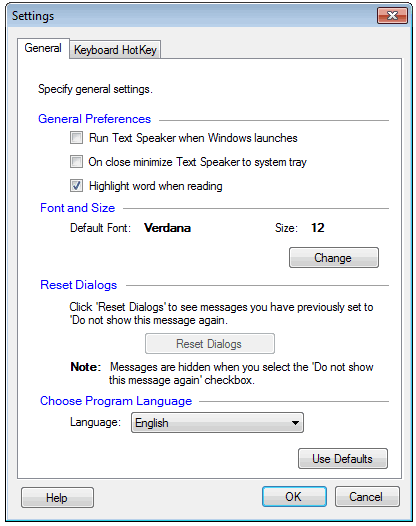 When you close the application window, it will be minimized to system tray and will be hidden from task bar. Now, you can use the keyboard short cuts to read your text.
|