Rank: Administration
Joined: 2/27/2004(UTC)
Posts: 1,824
Was thanked: 41 time(s) in 34 post(s)
|
There is a setting in My Screen Recorder which allows you to skip the timer which appears at the beginning of screen recording. To skip the countdown, click the Settings icon on the toolbar. On the General tab, uncheck the 'Display the countdown when starting a screen recording' option and click the OK button. 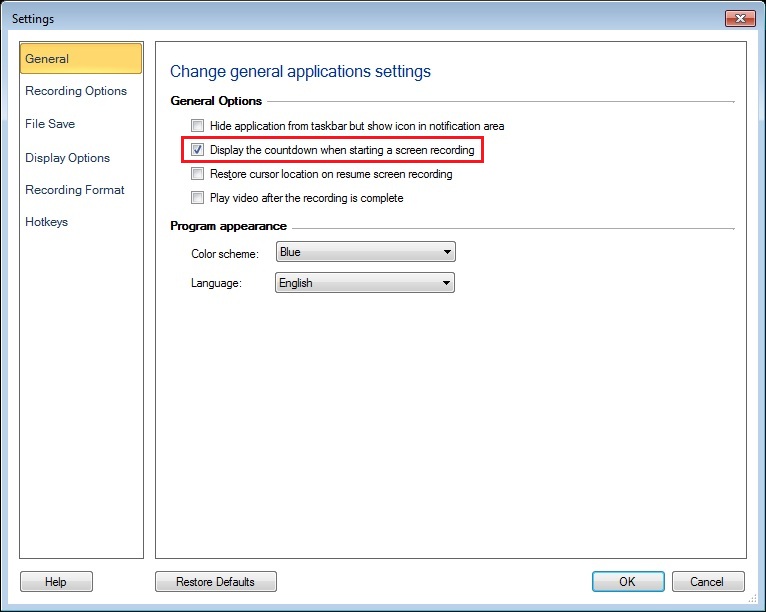 Now when you start screen recording, the timer will not be shown. If you want preparation time before recording starts, you can re-enable the countdown timer.
|