|
Activity Log
The Log features appears at the bottom of the File Manager.
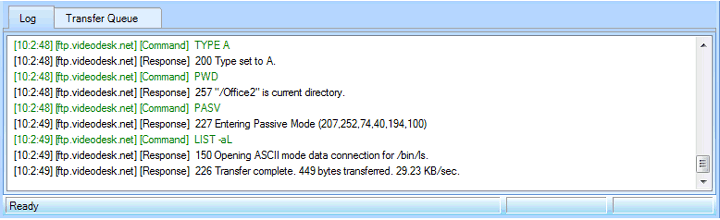
The log shows the following details:
-
All the files transferred during the session. For each file, its name, location and transfer status are shown. If there are any problems during a transfer, all errors are also listed.
-
Every command sent to the FTP server and the results.
Color Scheme
- Command. The command given to the FTP Server is in Green color.
- Response. The Response from the FTP Server is in Black color.
- Error. Errors are shown in Red color.
- Status. The completion status such as Transfer, Delete, and Rename are shown in Blue color.
|