Import Cameras
You can import the camera settings from the older version of Security Monitor Pro. To restore the camera(s) from a backup file, click File >> Import Cameras.
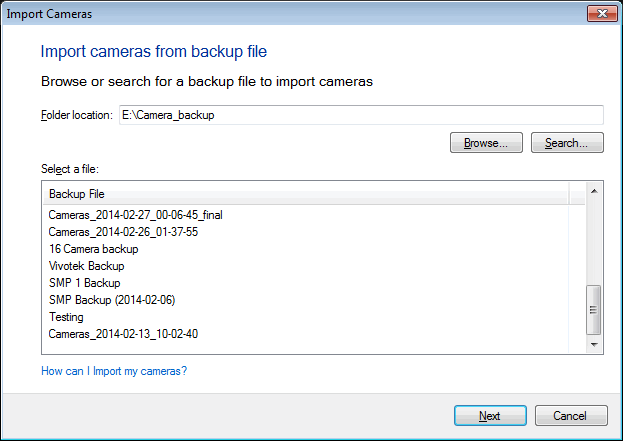
In the Import Camera Settings wizard, you need to specify the backup folder location. After specifying the folder, you will see a list of Backup files in it. Select a file and click on Next.
In the next step, you will see a list of cameras found in the backup file, as shown below:
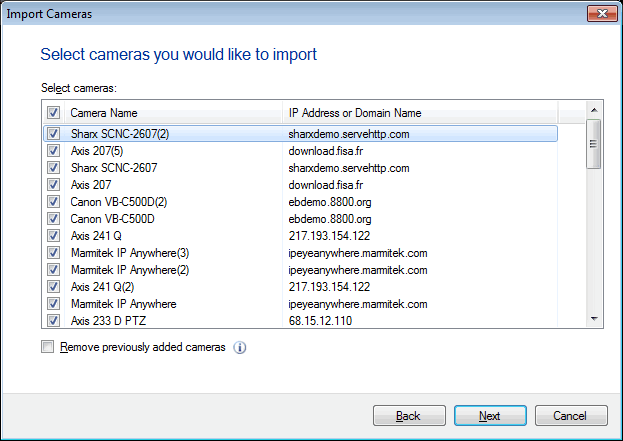
By default, all the camera(s) are checked. You can choose the cameras you wish to exclude by de-selecting the check boxes. If you want to add the cameras from the backup file and keep the previously added cameras, de-select Remove previously added camecameras.
After you have selected the cameras you wish to restore, click on Next to add all the cameras to Security Monitor Pro.
|