You can easily disable your microphone audio in
My Screen Recorder. Click on the
Settings icon on tool bar and go to ‘Recording Options’ tab.
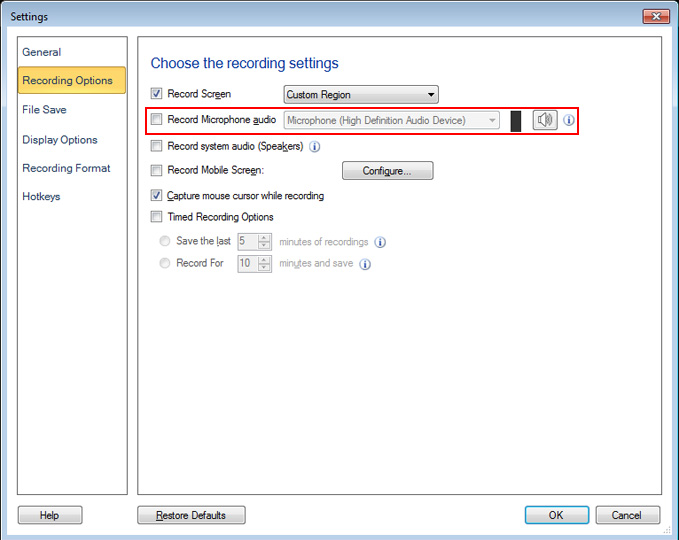
Uncheck the ‘Record Microphone audio’ option. You can select ‘Record system audio (Speakers)’ if you want to record audio from your webinar and click OK to save the settings.
When you record the webinar, the microphone audio won’t be recorded.