Attempt to Repair Media Files
There are many products that make media files. Sometimes these products may not use the standard structure when creating the media file. These files cannot be played correctly.
The Repair Media tool tries to correct and repair any problems that it might find within such media files. The tool can repair the corrupted headers of AVI files, retrieve video data from MPEG files with packet synchronization errors or invalid data. It can correct problems occurring in QuickTime MOV files and repair corrupted WMV or WMA file which is not seekable
Click Tools >> Attempt To Repair File.
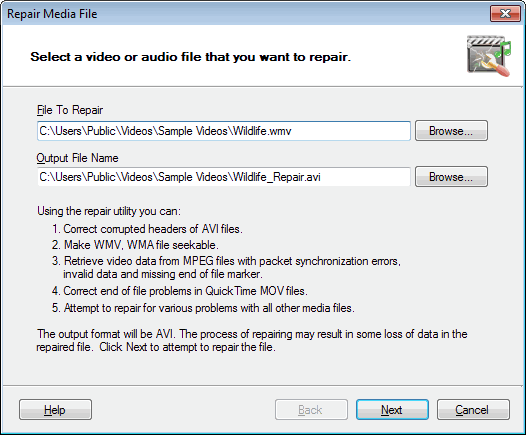
Locate the source file that you want to repair by clicking the Browse button.
For the Output File Name, click Browse to specify the Destination File.
When you click Next, you can add the repaired file to the conversion list. Enable the option Add repaired file to main conversion list.
Note: The repair utility attempts to convert the source file to AVI. The utility accepts only files that can be played by the appropriate media player. The process of repairing may result in some loss of data in the repaired file.
|