|
Using Security Monitor Pro
This section explains how to perform basic operations like adding or editing a camera.
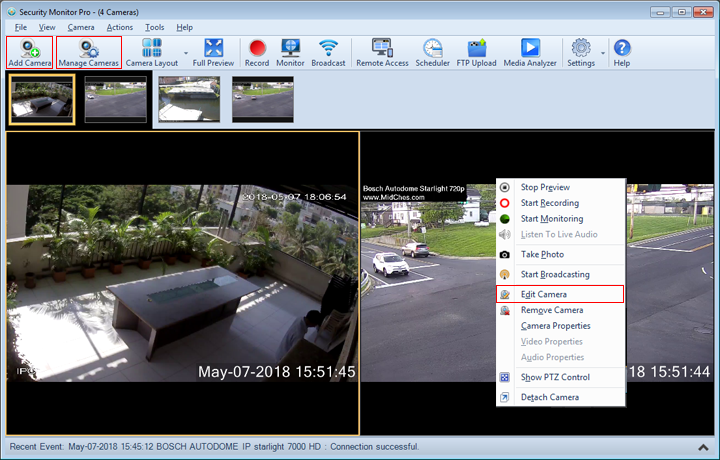
- Adding a Camera: The first step to setup your video security system is to add your camera. Security Monitor Pro allows you to work with both IP Cameras and Webcams. There are a few ways to add a camera:
- On Toolbar, click on Add Camera icon.
- From Camera Menu, click on Add Camera.
- On Manage Cameras, click Add Camera.
- Use shortcut key Ctrl + N.
- Editing Camera: To update the camera settings, select Edit Camera. For IP Camera, refer: Edit IP Camera page. For Webcam, refer: Edit Webcam page. Here are the different ways to edit a camera:
- Manage Cameras: A control that allows you to view camera status and perform basic tasks such as Add, Edit or Remove cameras. Here are the different ways to manage all the cameras:
- On Toolbar, click on Manage Cameras icon.
- From Camera Menu, click on Manage Cameras.
- Use shortcut key Ctrl + G.
- Change Camera Properties: Adjust your Camera's image, video or audio properties.
- Adding Labels: Add Labels, text or images to the camera preview.
- Motion Settings: Adjust the motion settings for your camera.
- Hide Mode: Allows to hide the application in a hide mode.
- Detach or Attach Camera: Detach a single Camera Preview or Camera layout from the application.
|