Configuring your PC for
Digital Video Editing
Every year we see computers with faster processors, bigger hard drives, and larger amounts of RAM at ever-lower prices.
These rapid strides in PC technology, in combination with advanced editing software like
Video Edit Magic,
make it easy for anyone to create professional looking digital video.
Video editing is a resource hungry activity. If you have an older PC, or you want the editing process to be as enjoyable and exciting as the finished product, you should consider updating your PC to optimize it for video editing.
Before starting on an upgrade program, consider this basic advice.
Optimizing your PC for editing

-
Let the Professional do it: If you are not confident about upgrading and installing new hardware yourself, call a professional.
- Warranty issues: If you bought a PC recently, check with the manufacturer to see whether changing the hardware would affect the warranty.
- Useful documentation:Go through the documentation that came along with the PC, like user manuals and installation guides.
This might help you to decide which components need to be upgraded.
The first step in digital video editing is getting your video footage into the PC.
If you have a tape-based camcorder or an analog video camera, you will need to convert the analog video to a digital form which can be understood by the PC.
For this you may need some or all of the following equipment:
Video Capture Cards
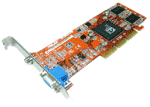
Video capture cards let you record from an analog camcorder, VCR, or DVD player to the computer's hard drive.
The capture card digitizes a TV signal and creates a video file for playback and editing on the PC.
The quality of the video depends on the video capture card, so you want to get a good quality capture card from a reputed manufacturer.
Many video adapters for newer PCs already include TV-in.
Also, some video capture equipment is now available as an external device that connects to the computer using USB 2.0, not an internal card.
All of them have the same function: to take TV signals and turn them into files.
NOTE: If you have a FireWire connection on both your camcorder and PC then you do not need a video capture card.
FireWire

Almost all recently-manufactured camcorders have a FireWire port (also called IEEE 1394 or iLINK).
The FireWire port connects your camcorder to the PC.
FireWire connections are ideal for video, since the signal stays digital throughout the transfer without any loss of image quality.
Storage space
Digital Video can take up a great deal of hard disk space. One hour of uncompressed (DV-AVI) video can take 13 gigabytes (over 13,000 megabytes) of storage space! If you're going to do much video editing, you will definitely want extra room for your video files.
Hard disk prices have continued to drop while their capacities continue to increase, so adding another drive is more and more affordable.
Dedicated storage space for your video on a secondary hard drive or an external drive also frees up space on the system drive.
Filling the primary drive can interfere with Windows operations, so this is an important factor.
You can also compress your video
files.
RAM
The rendering process (which is also referred to as the
make movie process)
is the final step of editing a video, when all the components (including video, audio, effects, transitions etc.) are combined into a single video file.
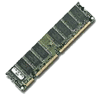
You can speed up the rendering process, and also improve the overall editing experience, by getting more RAM.
Display - Monitor and Video card
To enrich the editing experience, you may want to use a higher quality monitor. Important factors when editing video are the sharpness of the image and the size of the monitor. The Video Edit Magic window has three sub-windows, and displays a lot of information.
A larger monitor lets more information show at one time, makes the Preview window clearer and more useful, and lets more of the Timeline fit onto the screen.
Flat panel monitors have become very popular due to a sharp decrease in their cost.
They also consume less energy and take up less space on your desk than the older-style CRT monitors.
The video card creates the signals that control the monitor—it's the way the PC tells the monitor what to display.
The video card and monitor together determine the quality of the picture. Video editing generally does not require a video card upgrade, unless your current card can't display at a sufficiently high resolution.
Optimizing Windows
It is recommended that you work with Windows XP or newer for video editing. This gives you stability and good multimedia support. These versions also manage system memory better than older editions of Microsoft Windows.
Updating video drivers
Software applications control the hardware components in your PC by using drivers. Outdated drivers can cause system slowdown and the occasional crash.
Keeping your drivers current will maximize your system's speed and help keep it stable.
You can update drivers by using Windows Update. Windows Update keeps drivers up to date for hardware components from major manufacturers.
Many computer makers also provide automatic update software for the components of their systems. Finally, you can visit the hardware manufacturer's website for driver updates.
Disable screen savers and power settings
Disable screen savers, and change the power save settings (turning off automatic hard drive shutoff, standby, and hibernation), so that the editing process (especially capture and rendering) is not interrupted.
Its essential for any artist to have the right tools. Once you get your hardware right, you will surprise yourself with the wonderful videos you create using Video Edit Magic.
So, why not enjoy a more satisfying editing experience by upgrading your system?