Zune Device Profiles
Convert your media to play on Zune HD Player.
Configure Zune Device Properties
To select media conversion properties for your Zune player, click Formats >> Select Device Profiles >> Zune >> ( Select desired device profile ).
Zune Video
This is an example of a Zune WMV video device profile.
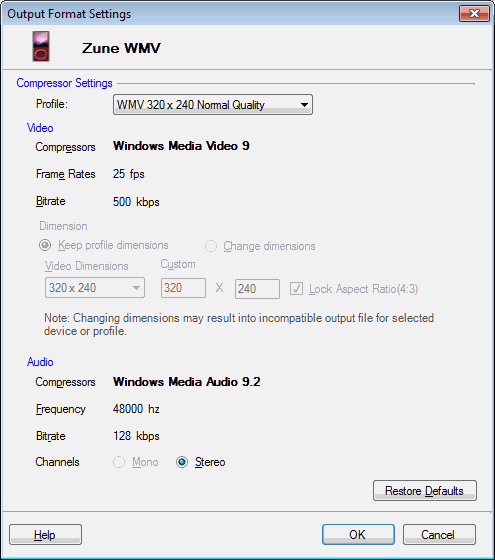
The Windows Media Video 9 compressor offers a near-DVD-quality video at low bitrates in WMV format. The Frame Rate is set to 25 Fps and Bitrate is 500 Kbps.
The files produced with Windows Media Audio 9.2 compressor are compatible with almost all playback devices. The frequency is set to 48000 Hz and bitrate is 128 Kbps. The Stereo audio channel creates an impression of sound heard from various directions.
|